Discord has finally stepped into the end-of-year recap trend, and longtime users are having a field day with it. For the first time, the platform is giving everyone a personalized breakdown of how much time they spent talking, gaming, and hanging out with friends this year. The feature is called Discord Checkpoint, and it works a lot like the yearly roundups you see from music and streaming apps, only this one focuses on your online social life.
What Discord Checkpoint Is
Discord Checkpoint rolled out on December 4, making it the company’s first attempt at a full year-in-review experience. The timing isn’t random either. Discord is celebrating its tenth anniversary, and Checkpoint is part of that celebration. Even though the company hasn’t confirmed whether this will become an annual feature, it has hinted that it may continue beyond 2025 depending on how well it’s received.
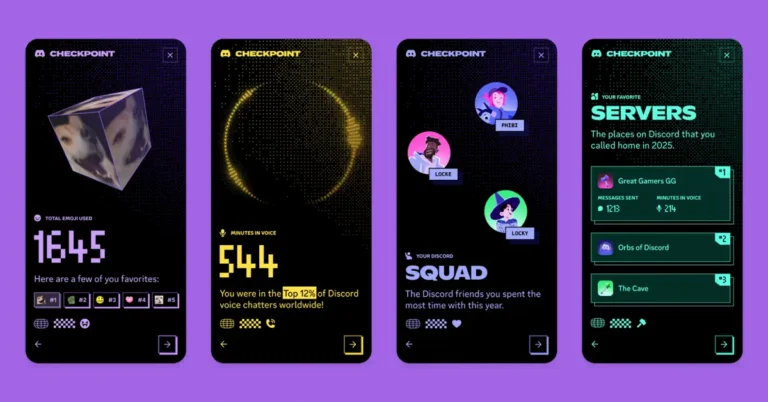
Checkpoint pulls together a surprisingly detailed snapshot of your activity. It shows how many hours you spent in voice chats, which friends you talked to most, the servers you kept returning to, the emojis you used more than anything else, and even the games you launched through Discord. For many users, these numbers are a fun look at how much of their online life now revolves around the platform.
At the end of the recap, Discord lets you share your summary directly through the app using a Share button. Most people are posting screenshots on social platforms or dropping their results into their servers just to compare stats with friends.
Who Gets a Checkpoint Recap
Not everyone will receive a Discord Checkpoint, and that’s by design. To get one, you must have been active on Discord in 2025 and have the “use data to personalize my Discord experience” option enabled in your privacy settings. Without that toggle, Discord can’t collect enough information to generate a recap. New users or anyone who barely logged in this year won’t see a summary either, since there isn’t enough activity to work with.
How to Find Your Discord Checkpoint
When you open Discord, a pop-up should appear automatically, pointing you straight to your recap. If you close it by accident or never see it, you can still find it manually.
On desktop, open the Discord app and click the small flag icon in the top right corner. That will take you immediately to your Checkpoint page. On mobile, tap the You button in the bottom right, then select the green Checkpoint banner.
If your recap still doesn’t show up, the most common reason is an outdated app version. Desktop updates usually install when you restart the program, but mobile apps may need to be updated manually from the App Store or Google Play. Once the update is in place, the recap should appear.
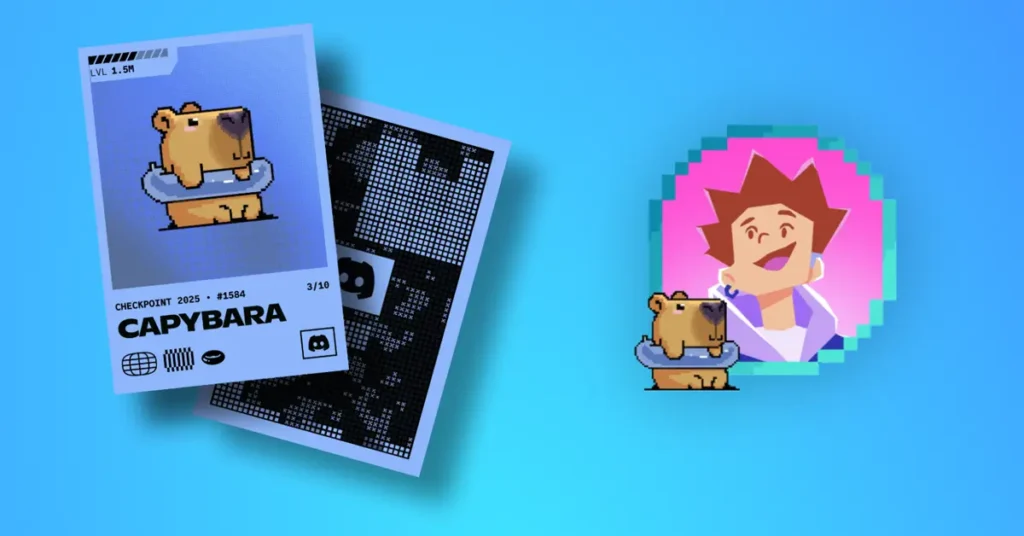
Anyone who views their Checkpoint will receive a temporary profile frame to decorate their avatar. This frame sticks around until January 15, 2026. Even users without a Checkpoint can still claim the frame simply by trying to view it.
Discord’s Global Year in Review
Along with personal summaries, Discord also published a big picture look at how the world used the app in 2025. With more than 200 million monthly active users, the numbers tell an interesting story. League of Legends continues to dominate as the most played game among Discord users, even though the game is now sixteen years old. On the indie side, the co-op survival horror title R.E.P.O. stood out as the year’s biggest breakout.
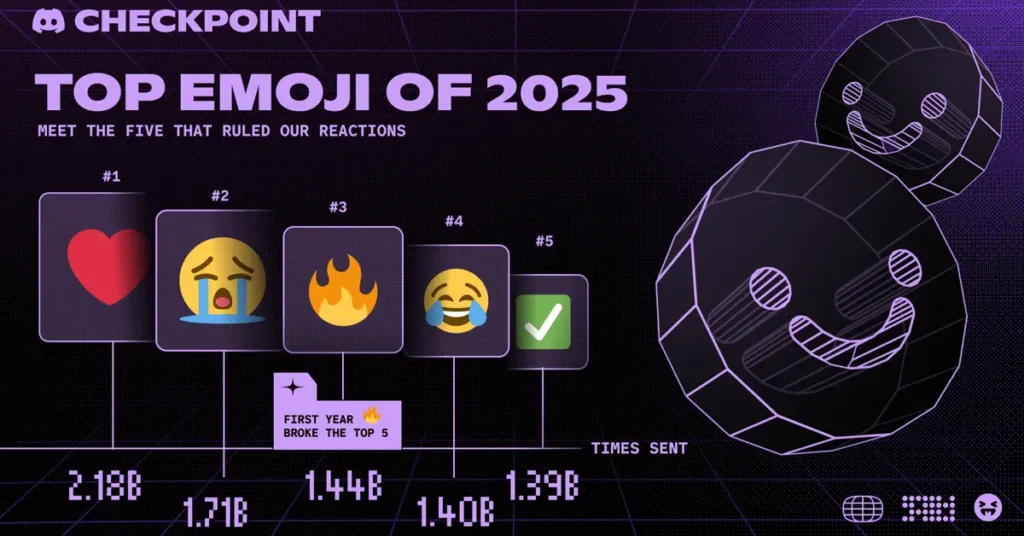
The most used emoji across the whole platform was the red heart, which appeared a staggering 2.18 billion times. Right behind it was the sobbing emoji at 1.71 billion uses. These global stats give a nice touch to the wrap-up experience, showing how people everywhere use the app in similar ways.
FAQ
Q. What is Discord Checkpoint?
It’s Discord’s 2025 year-in-review showing your voice hours, top servers, most-used emojis, and games.
Q. Why didn’t I get a Checkpoint?
You need enough activity in 2025 and the personalization setting turned on.
Q. How do I see my Checkpoint?
Check the pop-up, or tap the You tab on mobile or the flag icon on desktop.
Q. Is Checkpoint a yearly feature?
Discord hasn’t confirmed that yet.
Q. Can I share my recap?
Yes, you can use the Share button or post a screenshot.
Q. How long is the profile frame available?
Until January 15, 2026. After that, it disappears.